/ai-integrationArtificial intelligence — app · website
AI integration
AI features inside your product, not a chat bolted on: asking, summarising, classifying or suggesting.
Definition
What is AI integration in an app or website?
AI integration in an app or website means adding features that use a language model within the normal flow: asking about some content, summarising a text, classifying an entry or suggesting a reply. Done well, it picks the right model for each case, keeps costs in check and makes it clear what the AI wrote.
What’s included
The core of it
The right model
Apple’s model on the iPhone when that’s enough; otherwise Gemini or Claude.
Inside your flow
A button next to the content, working with what’s on screen.
Costs under control
Daily limits, lightweight models and short answers: the bill stays in check.
Clear what’s AI
It shows what the model wrote and what comes from a source.
Tested instructions
Prompts with tests, so the same question follows the same rules everywhere.
2published apps with AI inside: WordShot and FactShot
Technical audit
Start with the website you have
The audit checks the security, performance and technology of the site where you want AI.
Who it’s for
It’s for you if
- People would like to ask about your content.
- Your users write texts that need summarising, classifying or reviewing.
- You want some of it on-device, sending nothing out.
It’s not for you if
- You want a visitor chat: Somia Digital handles that.
- You want AI just for the sake of it.
How we work
Step 1: We pick the feature
What specific job the AI does, for whom and with what content.
Step 2: We pick the model
On-device or cloud, by quality, cost, privacy and languages.
Step 3: We integrate
In the app or website, with limits, a fallback and clear wording.
Step 4: We measure
Answers, errors and cost, then we fine-tune the instructions and models.
What we integrate it with
What powers WordShot, FactShot and this site’s chat.
- Apple’s model
- Gemini
- Claude and ChatGPT
- Swift
- React Native and Expo
- Supabase Edge Functions
What we use each tool for
- Apple’s model
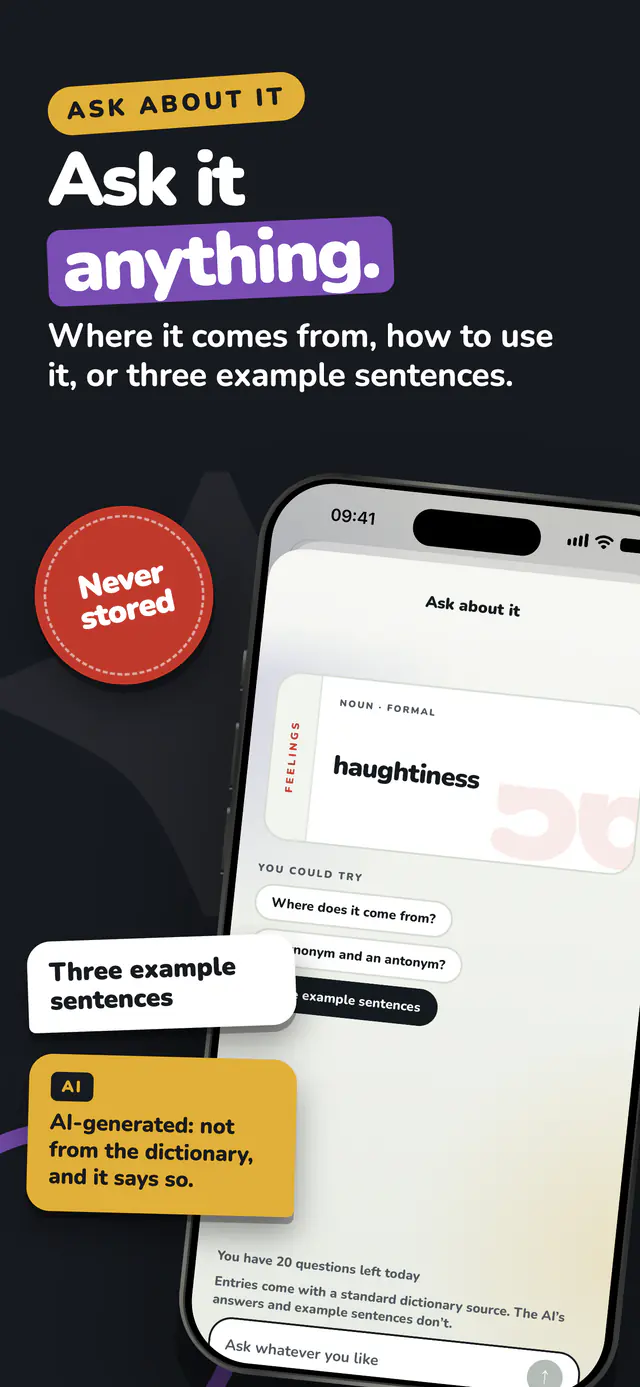
- Answers on the iPhone, sending the text nowhere.
- Gemini
- Cloud, lightweight models for short answers.
- Claude and ChatGPT
- Also in the cloud, depending on what each task needs.
- Swift
- The bridge between the app and Apple’s model.
- React Native and Expo
- AI right next to each screen.
- Supabase Edge Functions
- Server-side calls, with key and limits.
Live
AI inside WordShot and FactShot
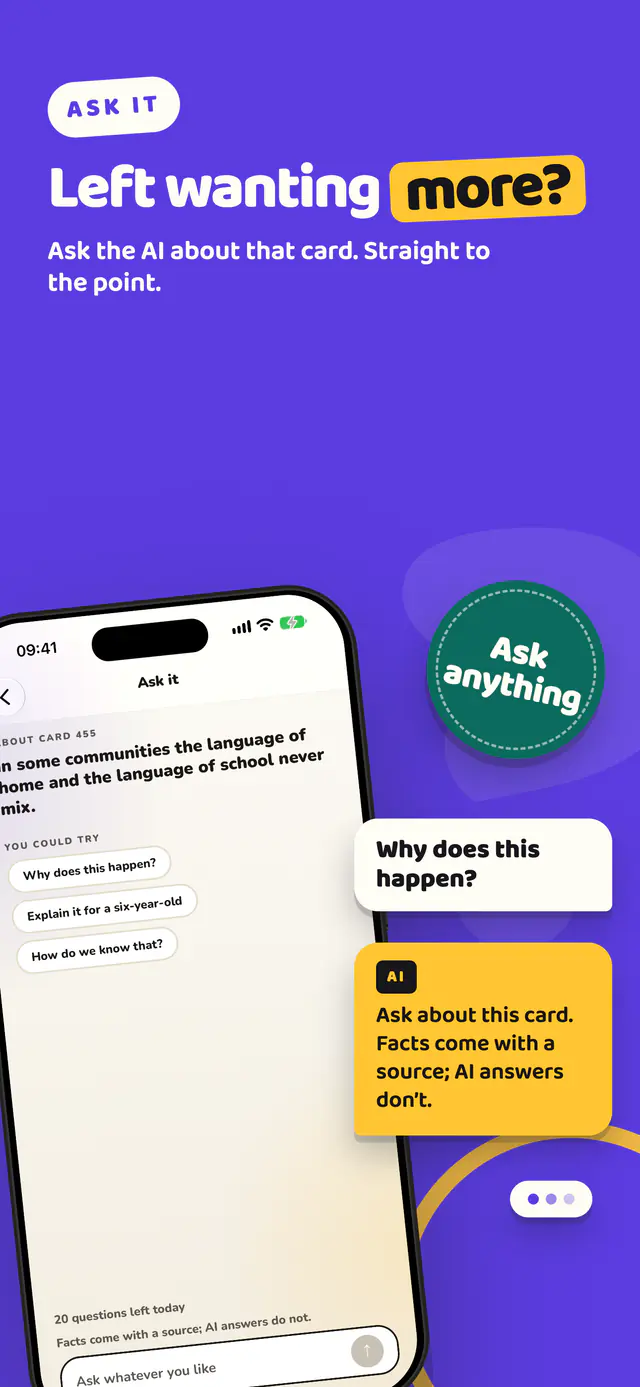
WordShot and FactShot have “Ask it”: Apple’s model answers on the iPhone and, if it can’t, Gemini.
Further reading
On the phone or in the cloud
A model on the phone itself answers offline and without sending the text to any server, but it isn’t on every device and doesn’t speak every language: Apple’s, for instance, doesn’t do Catalan yet. A cloud model reaches everyone and knows more, but every call costs money and the text leaves the phone. In WordShot and FactShot we use both: the on-device model first and, when it can’t, the cloud, with a daily limit on questions. The user only sees the answer.
Frequently asked questions
Which AI model will you use?
Whichever fits each feature: Apple’s model on the iPhone itself, or Gemini or Claude in the cloud. In FactShot, the cloud model can be swapped without publishing a new version of the app.
How do you stop costs from spiralling?
With question limits per user per day, lightweight models for short answers and, where possible, the on-device model, which costs nothing per call.
What if the AI gets something wrong?
It can happen, which is why the screen says so: in FactShot, the facts come with a source and the AI’s answers are labelled as such. We also limit what it talks about and what it does when it doesn’t know.
Does user data leave the phone?
With the on-device model, no. In the cloud, only the text needed to answer. We decide it with you and it’s explained in the privacy policy.
Do I need to rebuild my app to add AI?
No. An AI feature goes where the user already works: a button, a screen, a field. We look at the code first and tell you where it fits and what it needs.
Does it work in Catalan?
Yes. If the on-device model doesn’t speak it, the question goes to a cloud model that does, as in WordShot and FactShot.
First stepAI inside your app or website
What job could AI do in your product?
Tell us what your product does and where AI would help; we’ll say if it’s worth it.