/app-store-publishingPublishing — App Store · Google Play
App Store publishing
We prepare the listing, screenshots and ASO, and see your app through Apple and Google review.
App Store
 Pattio
 LogicGlow
 FactShot
 WordShot
 Strato
 Cucut
- Listing
- Screenshots
- Review
- Live
Definition
What is App Store publishing?
App Store publishing means preparing an app’s listing (name, subtitle, keywords, description and screenshots), uploading the signed build and passing Apple’s review, which checks the app meets its guidelines. Google Play works in a similar way. ASO is the work on that listing that helps the app show up in store searches.
What’s included
The core of it
Review-ready listing
Name, subtitle, keywords and description in every language, loaded via the API and checked.
Framed screenshots
For every screen size and every language, in your brand’s colours.
ASO: what people search
Keywords per store and language, and where the app ranks.
TestFlight and review
Team test builds, submission and a reply if Apple rejects it.
Google Play, if needed
Listing, screenshots and submission, when the app is on Android too.
Technical audit
Your listing links to your website
Apple asks for privacy and support links: the audit checks the site they point to.
Who it’s for
It’s for you if
- Your app is ready; you’re unsure how to publish it.
- Apple rejected it and you’re not sure why.
- Your app is missing from searches for what it does.
It’s not for you if
- You want to rank first: ASO isn’t a promise.
- You want campaigns and social media: Somia Digital handles that.
How we work
Step 1: Listing
Name, subtitle, keywords and description, written for each language.
Step 2: Screenshots
Real app screens, framed and captioned, in every size.
Step 3: Review
TestFlight to try it, then submission and replies to Apple or Google.
Step 4: Live
We check where it ranks and tune the listing.
What we use
Apple’s tools, plus an ASO tool for search.
- App Store Connect
- TestFlight
- Xcode
- ASO tool
What we use each tool for
- App Store Connect
- Listing, screenshots, countries and accessibility, via the API.
- TestFlight
- The test build on your team’s phones.
- Xcode
- The signed archive for the store.
- ASO tool
- Keywords, indexed languages and search rankings.
Live
Apps live on the App Store
Pattio and FactShot with their store screenshots, plus LogicGlow, WordShot, Strato and Cucut.
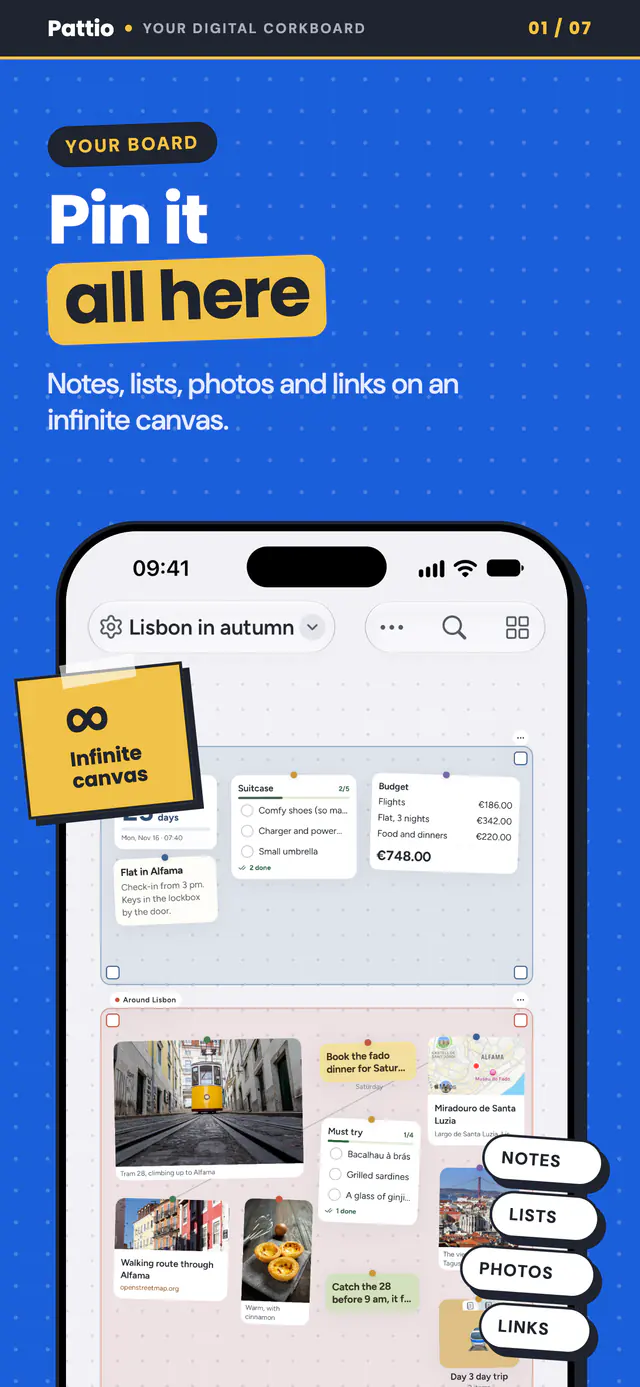
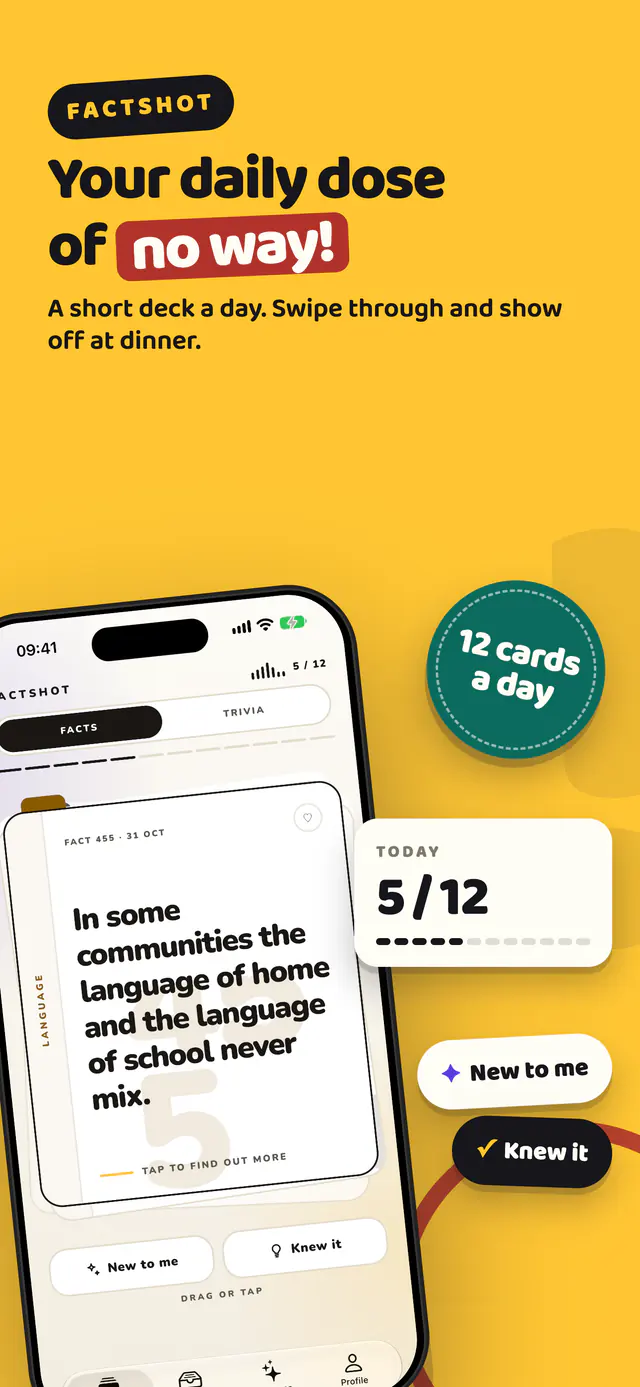
- Pattio(opens in a new tab)Your digital shoebox.
- LogicGlow(opens in a new tab)Five short games a day.
- FactShot(opens in a new tab)Twelve new facts a day.
- WordShot(opens in a new tab)Five new words a day, on cards.
- Strato(opens in a new tab)Your metrics and workouts, read calmly.
- Cucut(opens in a new tab)An alarm that doesn’t stop with a button.
Further reading
One listing per language
In each country, the App Store indexes more than one language. In Spain, for instance, it reads the listing in Spanish, Catalan and British English. Keywords in one language don’t combine with those in another, and repeating a word in two is wasted space. So we don’t translate the listing: we share the words out. Each language carries different keywords and, together, they cover more searches. Then we check where the app ranks for each word and adjust it in the next version.
Frequently asked questions
What happens if Apple rejects the app?
We read the reason, fix it and resubmit. It’s often a detail in the listing, a permission that isn’t explained well or a screen that breaks a guideline, and it’s solved without rebuilding the app.
Do I need a developer account?
Yes. Apple and Google both require a developer account to publish. If you don’t have one yet, we’ll help you open and set it up.
Do you publish on Google Play too?
Yes: the same app can go on Google Play, with its own listing, screenshots and review. The ones shown on this page are, for now, only on the App Store.
What is ASO?
App Store Optimisation: working on the name, subtitle, keywords and screenshots so the app shows up when someone searches for what it does and, once they see it, they want to download it.
Can you publish an app you didn’t build?
Yes, as long as we have access to the code and the store accounts. We review it first and tell you what needs fixing before it’s submitted.
First stepApp Store publishing
Is your app ready?
Tell us where it’s at and which stores you want, and we’ll say what’s missing.